


If you've ever tried to turn a clinic photo into a framed print for your treatment room, a before-and-after display for your reception area, or an image for your website, you'll know the frustration. The photo looks great on your phone, but the moment you try to crop it into a standard print size, things go wrong. Important detail gets cut off, the composition shifts, and suddenly you're wrestling with image editing software when you should be seeing patients.
That's the problem the new Image Cropper was built to solve.
What It Does
Available now in the Marketing Tools section of your Members Control Panel, the Image Cropper is a browser-based tool that takes any image and crops it into standard print sizes at 300 DPI, the resolution professional printers require for sharp, high quality output. It's equally useful for preparing web-ready images for your clinic website, social media, or blog.
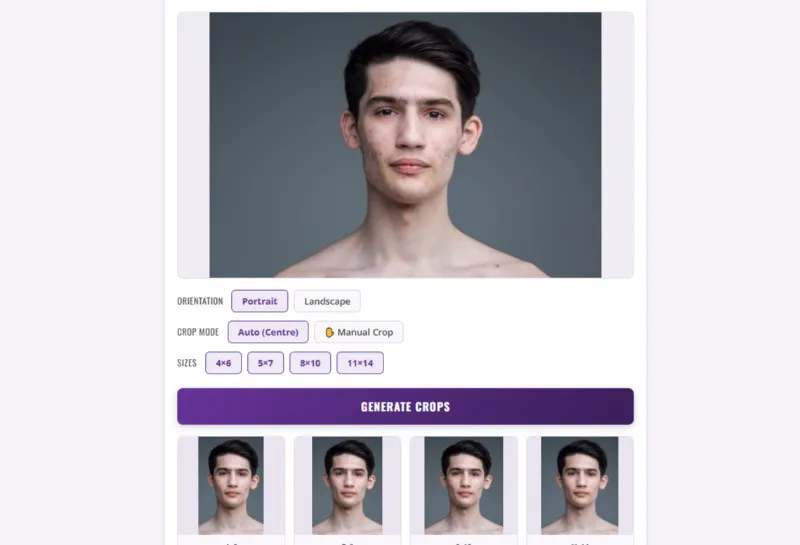
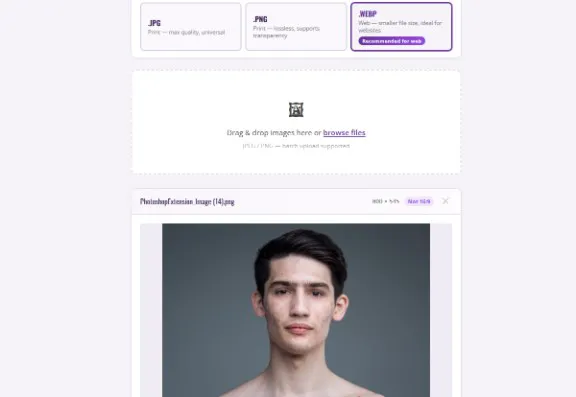
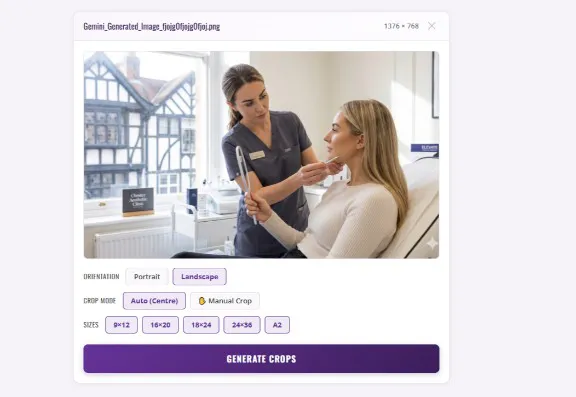
You upload one or more images (it supports batch processing), choose your orientation and sizes, and the tool handles the rest. No software to install, no design experience needed. It runs entirely in your browser, which means your images stay on your device and are never uploaded to a server.
Print and Web, Covered
One of the features we're particularly pleased with is the format selector. You can export your cropped images as JPG or PNG for professional printing, or as WebP for your website. WebP files are significantly smaller than traditional formats without a visible drop in quality, which means faster page load times and a better experience for patients browsing your site. If you're updating treatment pages, gallery images, or blog posts, WebP is the format to use.
Two Ways to Crop
The tool offers two crop modes. Auto mode centres the crop automatically for each print size you select, which works well for most images. But when you need more control (moving the focus to a specific area of a before-and-after shot, for example), Manual mode lets you drag and resize the crop area directly on the image.
Within Manual mode, you can lock the crop to a fixed print size ratio or switch to freehand for complete flexibility. It's the kind of precision that normally requires Photoshop, available here in a few clicks.
Available Print Sizes
The tool covers the sizes clinics most commonly need for wall art, display prints, and marketing materials.
Portrait: 4×6", 5×7", 8×10", 11×14"
Landscape: 9×12", 16×20", 18×24", 24×36", A2
Each size exports at the correct pixel dimensions for 300 DPI output, so your print shop receives exactly what they need. And with the freehand crop option, you're not limited to preset sizes, you can crop to any dimension that suits your needs.
Where to Find It
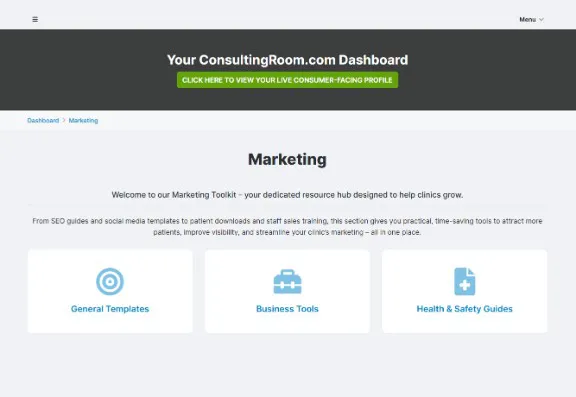
Log in to your Members Area and head to Partners > Marketing > Tools, or go directly to login:
https://www.consultingroom.com/industry/register/login.php
The Image Cropper sits alongside the other tools in the Marketing Toolkit, including the Privacy Policy Generator and Equipment Payback Calculator. If you haven't explored the full toolkit yet, it's worth a look. Everything there has been built to handle a specific task quickly, so you can spend less time on admin and more time doing what you do best.
Not Yet a Member?
The Image Cropper and the full Marketing Toolkit are included with every ConsultingRoom.com Membership, along with lead generation, SEO-optimised clinic profiles, CPD-certified training, business support, and much more.
Membership starts from just £20 per month, including VAT. That's less than the cost of a single image editing subscription, and you get an entire platform built around helping your clinic grow.
Find out more and register here: https://www.consultingroom.com/industry/register/